Liquid
The loop shrinks continuously, through every length in between. Smooth, hypnotic builds.
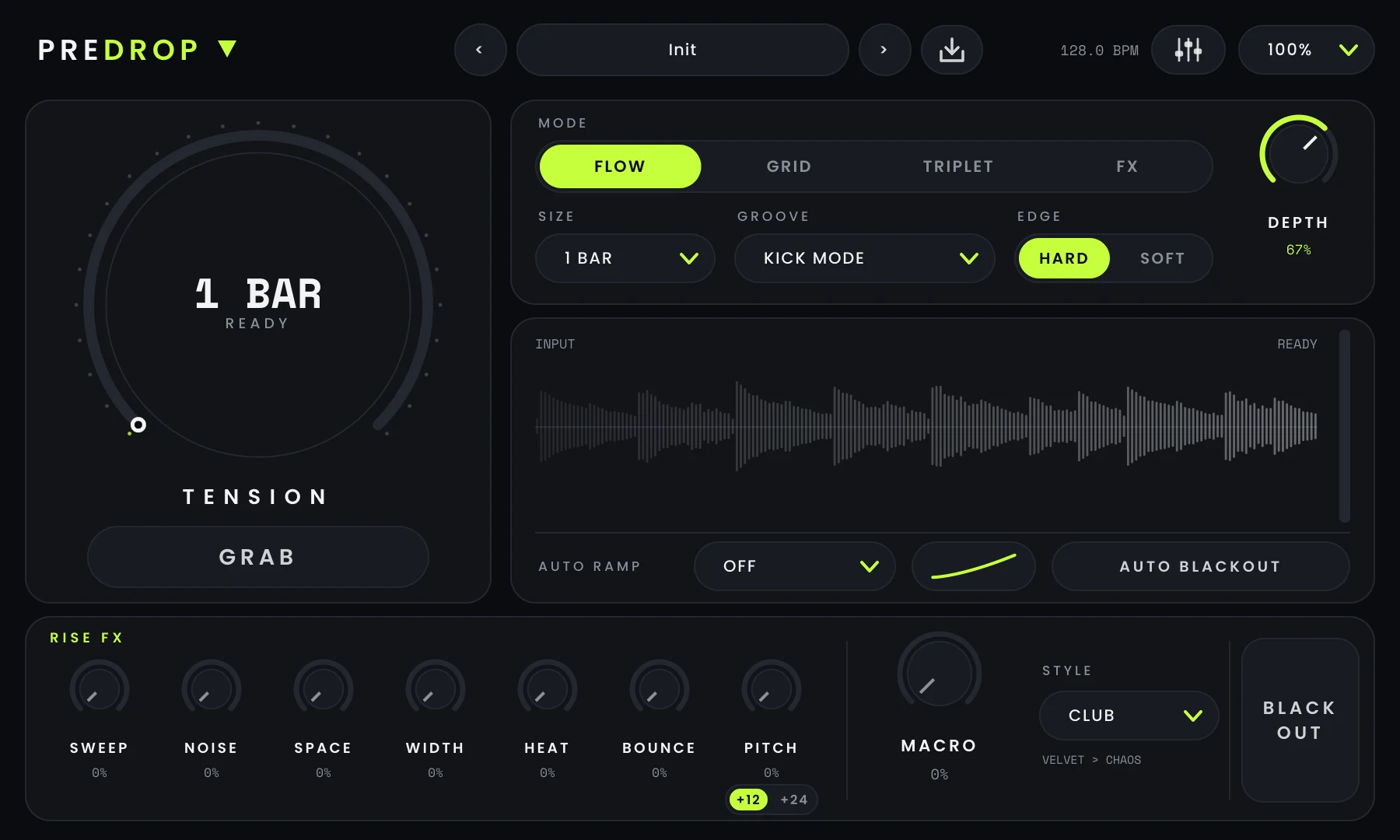
PREDROP fits a whole build-up on one screen, and version 1.2 adds an ADVANCED panel behind it. Here is what each part does, how it sounds, and when to reach for it. Every player on this page is the real plugin.
 1
2
3
4
5
6
7
8
9
10
11
12
13
14
GRAB records what is playing the moment it switches on. PREDROP keeps a short history of the incoming audio, so even when your automation lands a little late, the loop starts exactly on the beat. Release GRAB and the original track comes straight back. GRAB can also be held by a MIDI note (see MIDI GRAB below).
SIZE sets how much is captured. Long sizes keep the phrase recognisable; short sizes go straight for the stutter.
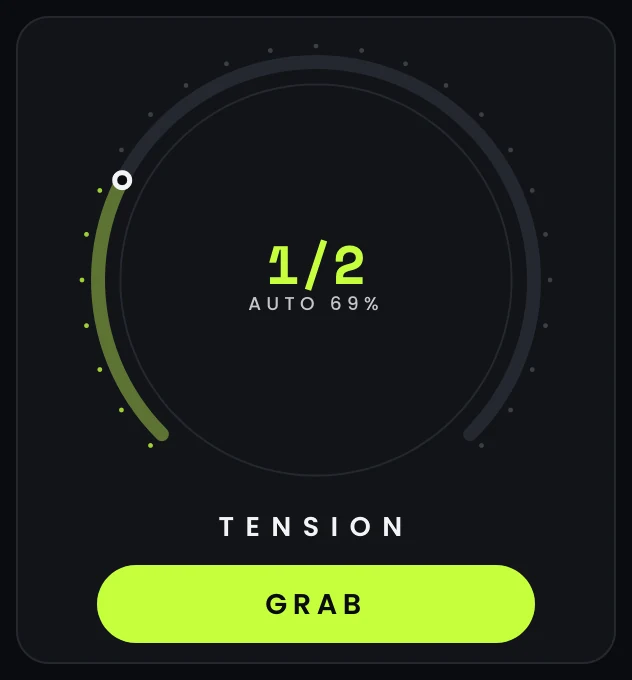
TENSION is the build itself. At 0 % the loop plays at its full SIZE; as you turn it up, the loop shrinks towards the shortest roll that DEPTH allows and the rise effects open up.
The centre of the dial shows the roll you are hearing. When AUTO RAMP is driving, a second arc shows how far it has pushed past the knob.
Four ways for the loop to shrink as TENSION rises.
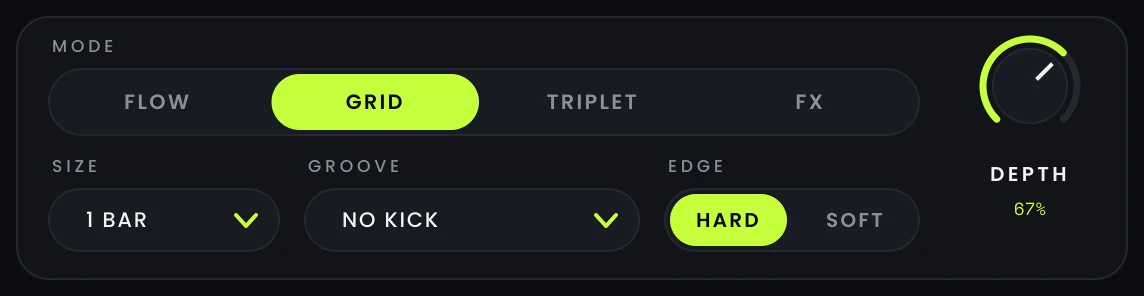
The loop shrinks continuously, through every length in between. Smooth, hypnotic builds.
Steps through straight divisions: 1 BAR, 1/2, 1/4, 1/8, 1/16, 1/32, 1/64. The snare-roll build everyone knows.
Steps through triplet divisions for a rolling, off-grid feel. The echo switches to a 1/4 triplet too.
No shrinking. TENSION drives the rise effects only, on the live track or on the grabbed loop at its full SIZE.
Switch while it plays: the options stay in sync.
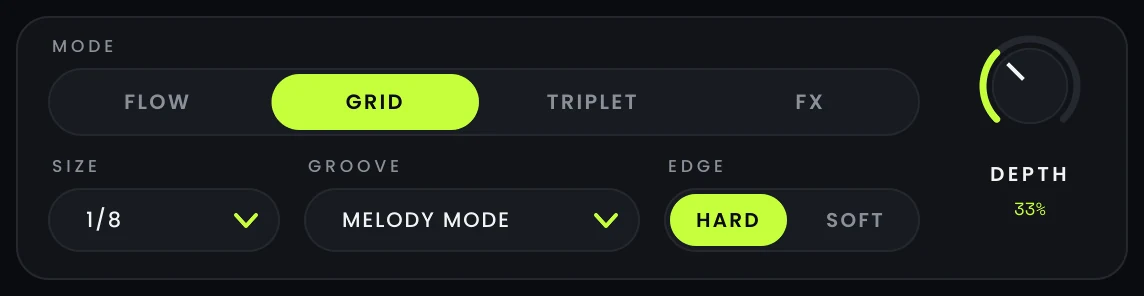
DEPTH sets the shortest roll TENSION can reach, and how choppy the repeats get near the top of the build. Keep it low for musical fills, push it for machine-gun endings.
Shortest slice per DEPTH setting, shown as repeats per beat.
What happens to the kick and bass (everything under 140 Hz) while the rest rolls.
Kick and bass loop with the rest. The most intense stutter.
The loop loses everything under 140 Hz: the classic thin, high-passed build. The low end comes back on the drop.
Under 140 Hz keeps playing normally while only the top rolls. Your kick and bassline never stutter.
Everything rolls with long, soft fades on each repeat, for vocals, pads and chords.
Switch while it plays: the options stay in sync.
EDGE shapes the start and end of every repeat. HARD gives punchy, clicky repeats for drums; SOFT rounds them off for full mixes. For vocals, pads and chords, pick MELODY MODE in GROOVE: it uses the longest, smoothest fades.
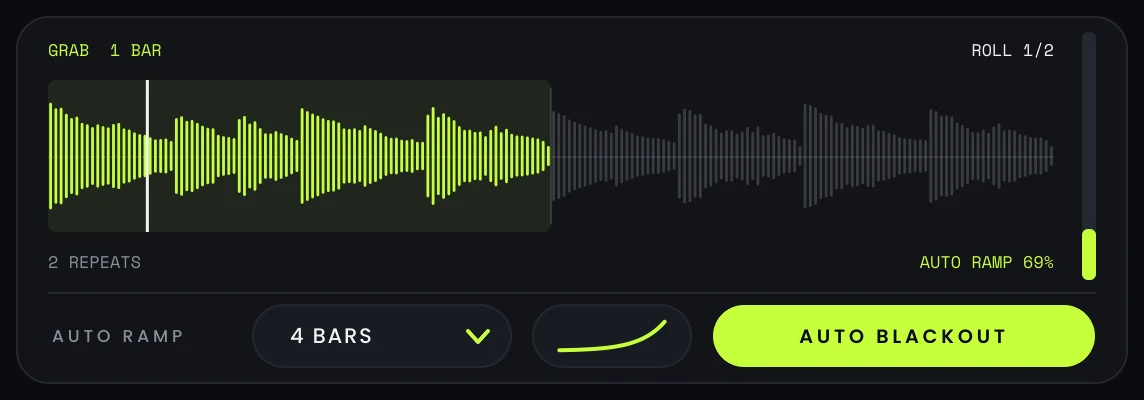
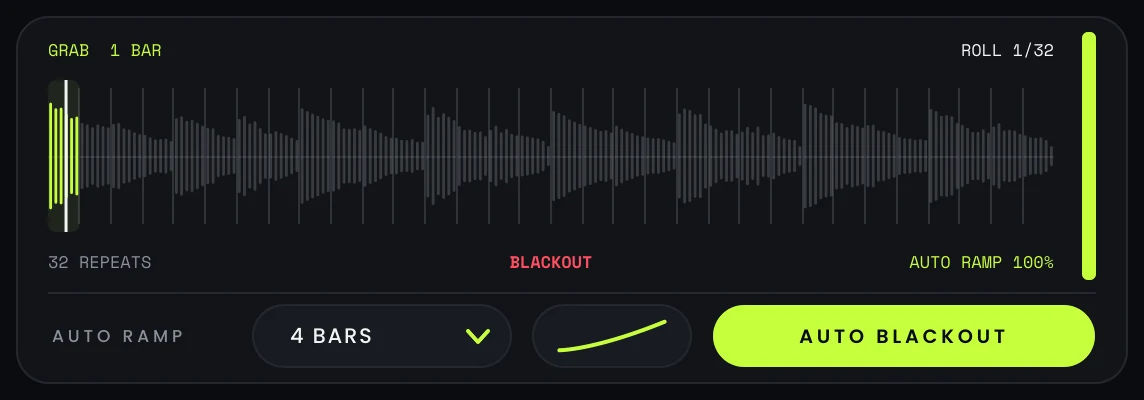
Pick an AUTO RAMP length and TENSION rises by itself from the moment you GRAB, over 1, 2, 4, 8, 16 or 32 bars. You automate one switch instead of drawing a lane for every effect.
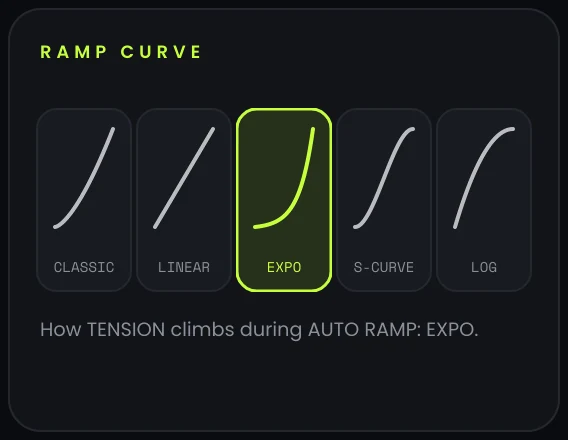
The curve button next to AUTO RAMP (and the RAMP CURVE card in ADVANCED) sets how the tension climbs. With AUTO BLACKOUT on, the ramp peaks one beat early and that last beat is silent. The TENSION knob still works: whichever is higher wins.
0%TENSION
At half ramp: 35%
Gentle at first, then more and more decisive. The original PREDROP feel and the default. The same rise every bar. Predictable, easy to stack with other automation. Almost nothing for most of the ramp, then everything happens at the end. Made for 16 and 32-bar risers. Eases in, accelerates through the middle, eases out before the blackout. The tension arrives early and stays high: urgent from the first bar.
Switch while it plays: the options stay in sync.
AUTO BLACKOUT works with AUTO RAMP: it mutes the last beat of the ramp, the instant of silence that makes the drop hit. Release GRAB before the end and the blackout is cancelled.
The BLACK OUT pad gives you a gap anywhere: it mutes the next full beat, or the rest of the current one if you hit it right on the beat. Short fades keep it click-free.
Seven effects that grow with the build and fall away on the drop. Each knob sets how far its effect goes at the top of the build.

A resonant filter that closes as the build rises, with make-up gain so the build stays loud. HP thins the lows (20 Hz to 4 kHz), LP closes like under water (20 kHz down to 350 Hz), BAND squeezes into the mids. Pick the type in ADVANCED.
A filtered noise riser whose band climbs from 500 Hz to 8 kHz.
A dense, modulated 8-line reverb that grows with the build, far smoother than classic comb-filter reverbs. CUT stops the tail on the drop; RING lets it bloom into the drop.
Mid/side widening that only works above 150 Hz (steep 24 dB/oct split): the highs open up, the kick and sub stay centred and mono-safe.
Warm drive that pushes the loop harder as it tightens. It runs 4× oversampled with a DC blocker, so it stays clean and never adds harsh aliasing.
Tempo-synced ping-pong echo: dotted 1/8, or 1/4 triplet in TRIPLET mode.
Pitch rise up to one octave, or two with the +24 switch. TAPE speeds the repeats up like a tape machine, on the grid. SHIFT raises the pitch without speeding up, with a waveform-matched shifter.
Whatever you push, the safety LIMIT keeps the output under −0.3 dBFS and MONO BASS can keep the low end mono. Both live in ADVANCED.
Switch while it plays: the options stay in sync.
Switch while it plays: the options stay in sync.
Switch while it plays: the options stay in sync.
Low volume first: pure tones. Details on the Sound quality page.
MACRO adds all seven effects at once; STYLE decides the mix. The individual knobs add on top. Here is how much of each effect MACRO brings in each style:
Wide and airy
Tidy and controlled
The all-rounder
Driven and pitched up
Everything wide open
Pick one from the preset bar, step through them with the arrows, or use your DAW's program list. Presets never touch your performance and studio settings (GRAB, TENSION, BLACK OUT, MIDI GRAB, LIMIT, MONO BASS), so you can switch mid-build without surprises.
Neutral starting point.
The classic peak-time build, fully automatic.
A one-bar fill that keeps the kick going.
Smooth vocal chops with a touch of echo and space.
A long, liquid build for breakdowns.
Hard rolls down to 1/64 with a two-octave rise.
Swinging triplet rolls with a wide bouncing echo.
No stutter, just the rise effects on your track.
Everything at once, for the biggest drop of the night.
Click the save icon next to the preset name, type a name, press Enter. Your preset appears in the menu under "Your presets", tagged USER. A lime dot next to the name tells you the sound has changed since you loaded it.
.pdpreset files in Documents\HOPS LAB\PREDROP\Presets
Click the sliders icon at the top right. The panel slides over the main screen, in the same style, and closes with the same icon. Everything in it is saved with your project and automatable.
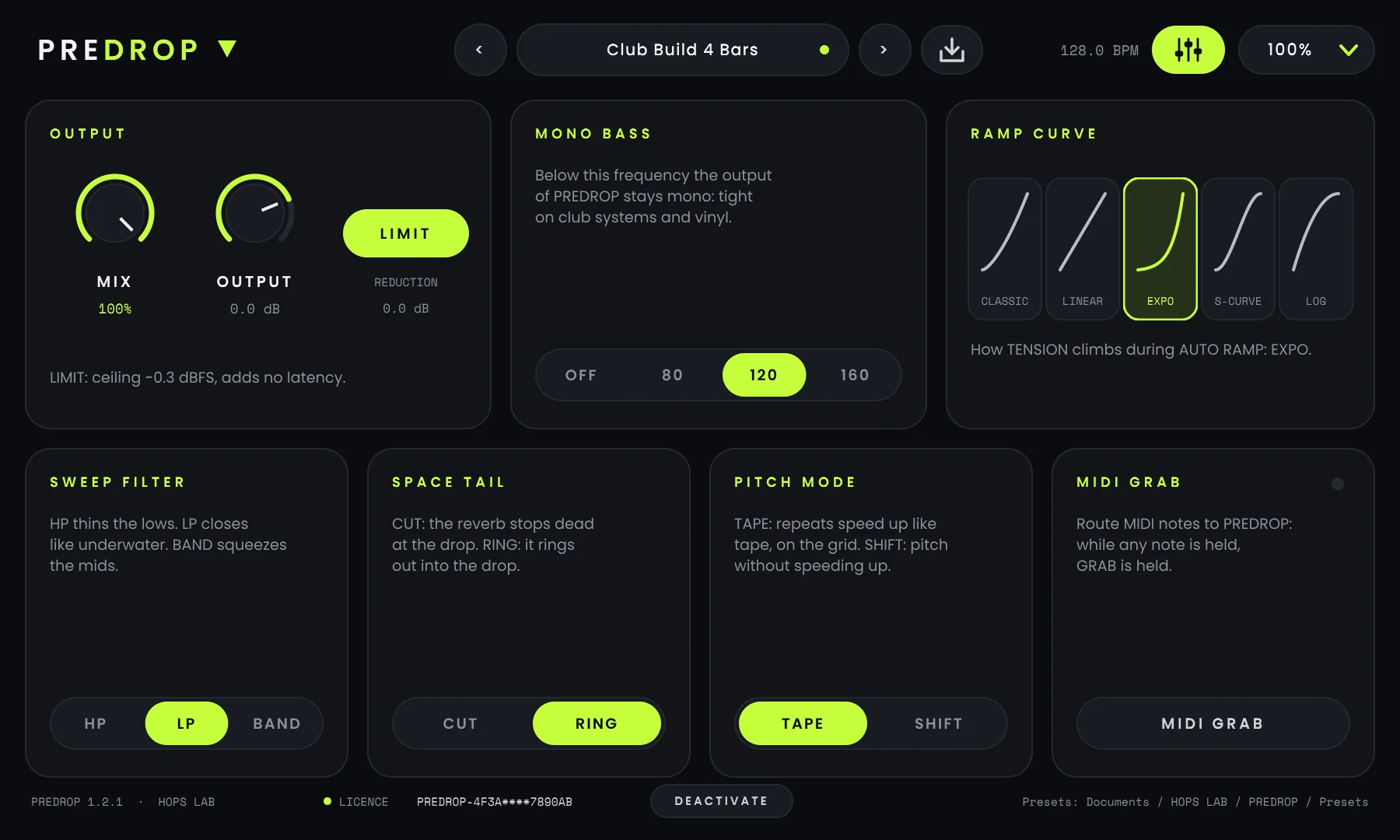
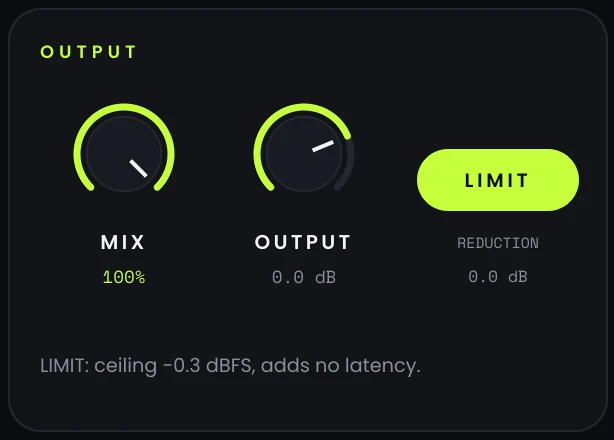
MIX blends PREDROP with your untouched signal, perfectly time-aligned (100 % = PREDROP only). OUTPUT trims the level from −18 to +6 dB. The safety LIMIT keeps every peak under −0.3 dBFS and is transparent below; the REDUCTION readout shows when it works.
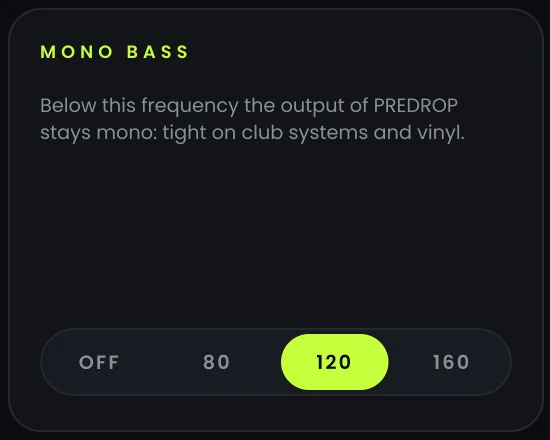
Everything under 80, 120 or 160 Hz leaves PREDROP in mono, with a steep 24 dB/oct split. Kick and sub hit the same on a festival rig, in a club and on a phone. Measured: a pure-stereo 60 Hz tone loses 24.6 dB of side at 120 Hz, the mids are untouched.
CLASSIC, LINEAR, EXPO, S-CURVE and LOG, each drawn on its tile. Same setting as the curve button on the main screen.
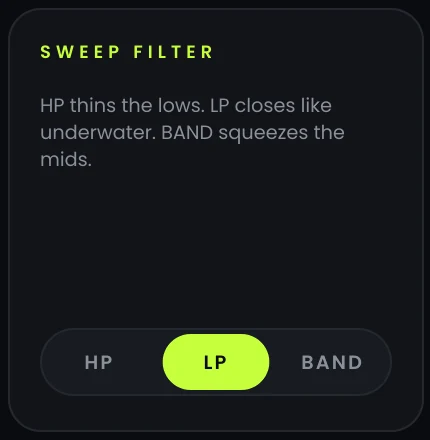
The filter type of SWEEP: thin the lows, close like under water, or squeeze into the mids.
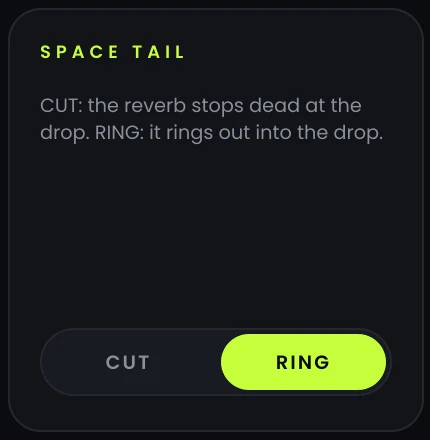
What the reverb does when you drop: stop dead for a tight, punchy drop, or ring out for an epic one.
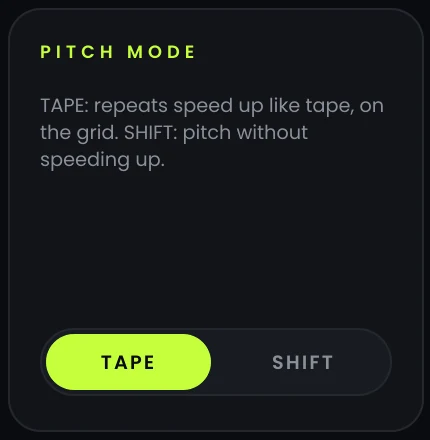
TAPE speeds the repeats up like tape, tight and on the grid. SHIFT raises the pitch without speeding up. Projects made with 1.1 open in SHIFT, so they sound the same.
Turn on MIDI GRAB in ADVANCED and send MIDI notes to PREDROP: while any note is held, GRAB is held; when the last note ends, you drop. The dot on the card lights up when notes arrive and the GRAB button lights up too. Draw your builds in the piano roll, or play them live from a pad.
Every knob, switch and selector has a right-click menu with quick values: reset to default, 0 %, 50 %, 100 %, or the list of choices.
In DAWs that offer their own plugin context menu, their commands, such as automation or MIDI learn, appear at the top of the same menu. Ableton Live does not offer this menu: move the control, then pick it in the track's automation chooser.
Illustration of the right-click menu.
| Version | PREDROP 1.2.1 · HOPS LAB |
| Format | VST3, 64-bit (Windows)VST3 (Windows, macOS) · Audio Units (macOS) |
| Systems | Windows 10 or 11, 64-bit · macOS 10.13 or later, Intel and Apple Silicon · macOS version in preparation |
| Hosts | Any 64-bit DAW that loads VST3 plugins |
| Channels | Stereo and mono |
| Sample rates | Any rate your DAW runs at (validated at 44.1, 48 and 96 kHz) |
| Latency | 6 samples (0.13 ms at 48 kHz), reported to the DAW and compensated automatically |
| CPU | About 3.7 % of one core with all seven effects at 100 % (48 kHz, measured offline on a 2.1 GHz server core) |
| Oversampling | HEAT: 4×, polyphase IIR, clean path time-aligned |
| Output safety | Limiter at −0.3 dBFS (switchable) · MONO BASS 80 / 120 / 160 Hz |
| Automation | 29 automatable parameters, smoothed (no zipper noise) |
| MIDI | Note input for MIDI GRAB |
| Presets | 9 factory presets (also host programs) · user presets as .pdpreset files |
| Interface | 900 × 540, resizable 75 / 100 / 125 / 150 % |
| Validation | pluginval at its strictest level (10) · 83 automated audio and interface tests |
| Licence | Lifetime licence for one computer · no subscription, no account, works offline |